
Open Explore Palettes in your browser to browse curated HEX and OKLCH color palettes by mood, hue family, and swatch count, copy codes in one click, and open any scheme in our live visualizer. Everything runs locally on your device with instant sync across the shared Active Palette bar.
Narrow palettes by project mood and hue
Start by selecting a mood filter—such as Minimal for SaaS interfaces, Earthy for editorial lifestyle brands, or Dark for developer tools—and optionally filter by dominant hue family or swatch count.
You can also type any keyword or #HEX fragment into the search box to find curated schemes built around a specific shade.
Quick copy: Hover over any slice in a palette strip to expand its hex label and click once to copy that individual #HEX code.
Shortlist 2–3 candidate schemes
Click the Heart icon on promising cards to bookmark them into your local Saved list. Comparing two or three candidates side by side makes it easy to spot which palette matches your typography and brand voice.
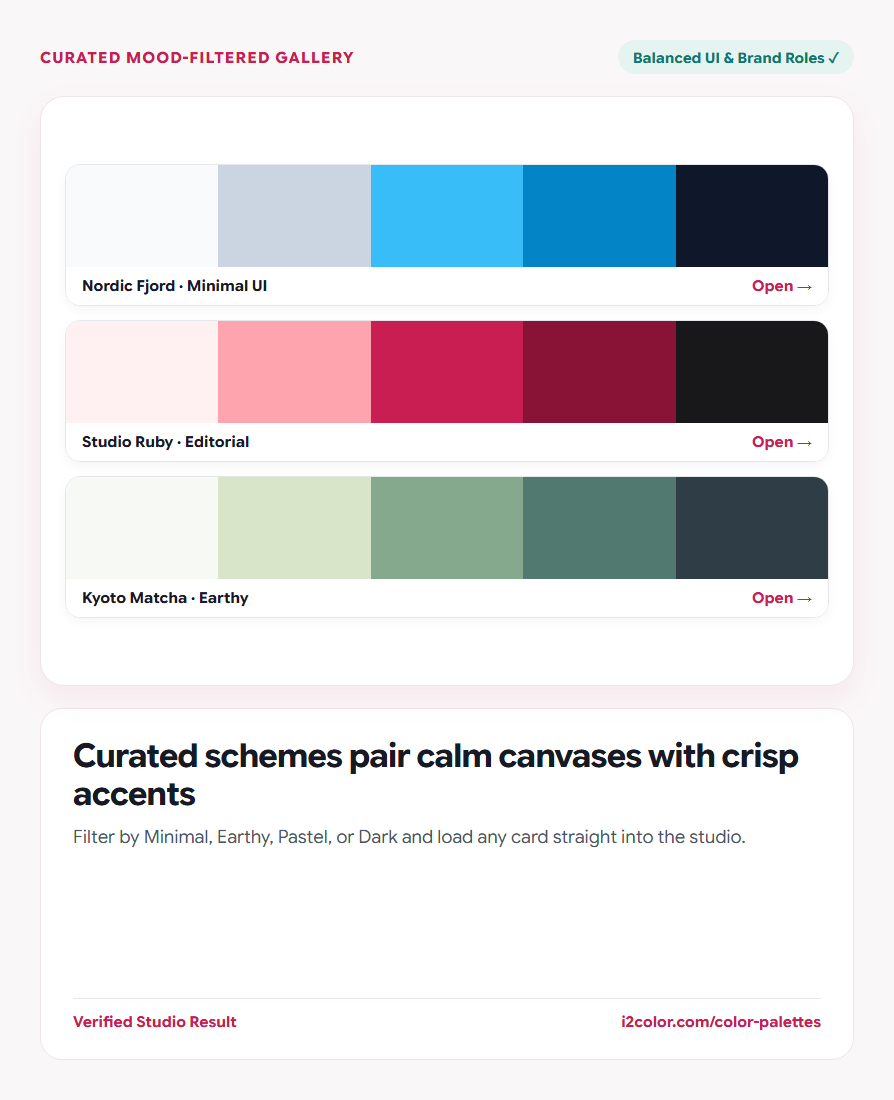
Every curated palette is balanced with real light, midtone, and deep values rather than five competing neons.
Minimal & Clean UI
Pairs airy cool/warm off-whites with deep slate ink and one high-clarity action color.
Earthy & Editorial
Combines clay, sand, olive, and espresso tones for hospitality, print, and craft brands.
Obsidian & Neon Dark
Provides layered charcoal surfaces with luminous cyan, amber, or ruby highlights.
Load your chosen palette into the studio
Click Open in Studio on any card to load its swatches into your Active Palette bar, then preview them across websites and dashboards in Palette Visualizer or export CSS/PNG/SVG directly.
:root {
  --nordic-canvas:  #F8FAFC;
  --nordic-border:  #CBD5E1;
  --nordic-sky:     #38BDF8;
  --nordic-primary: #0284C7;
  --nordic-ink:     #0F172A;
}Common questions
Are curated palettes free for commercial client websites and print?
Yes. Every color combination on i2Colors can be used freely in personal and commercial digital or print products without attribution.
Where are my bookmarked palettes stored?
Favorites are stored locally in your browser storage so they persist across visits with no sign-up required.
Can I generate 50–950 Tailwind scales from a curated palette?
Yes. Load the palette into your Active Palette bar and open Tailwind Color Generator to build full 50–950 scales for every swatch at once.
Try Explore Palettes
Filter by mood and hue family, then test your favorite scheme live.