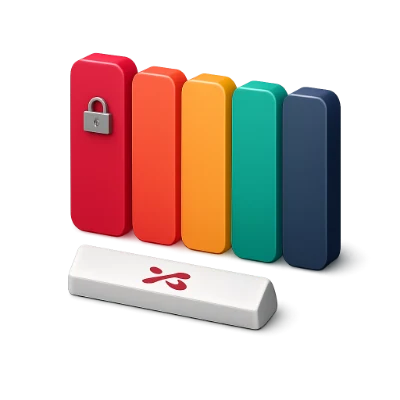
Build balanced 3–8 color schemes in perceptual OKLCH
Lock one or more brand HEX codes, press Spacebar (or Generate) to explore harmonious companions in perceptual OKLCH space, toggle between Equal and 60-30-10 proportions, and fine-tune any column with inline tonal shades or the circular OKLCH wheel.
Perceptual OKLCH harmonies, swatch locking, 3–8 color stepper, and 60-30-10 role proportions.
Practical workflows for brand, UI, and engineering
Brand & Product Design
Anchor around locked HEX codes
Paste a brand HEX code, click the lock icon on that column, and generate matching surfaces, inks, and accents around it.
UI & Editorial Scale
60-30-10 proportional view
Switch from Equal to 60-30-10 in the toolbar to judge how dominant backgrounds, cards, and 10% accents balance at real layout scale.
Design Systems
Code & vector Brand PDF export
Export :root CSS custom properties, Tailwind v4/v3 scales, SCSS, JSON, SVG, Adobe ASE swatches, or a 1-page vector Brand PDF.
Key capabilities
Perceptual OKLCH harmonies
Generates Analogous, Complementary, Split, Triadic, Tetradic, and Monochromatic palettes with sRGB gamut clamping.
How OKLCH helps
Rotating hues in OKLCH preserves perceived brightness and prevents neon clipping across light and dark styles.
Spacebar, locks & 50-step undo
Pin favorite brand colors, press Spacebar to explore variations, and step backward or forward anytime.
Keyboard workflow
Use Spacebar to generate, L on a focused swatch to lock or unlock, and Ctrl+Z / Ctrl+Y to traverse history.
60-30-10 semantic role balance
Assigns Background (60%), Surface & Text (30%), and Primary & Accent (10%) weights across 3 to 8 colors.
Why proportions matter
Judging colors at their real visual proportion prevents vivid accent colors from overpowering calm backgrounds.
Synced active palette across tools
Move freely between Generator, Visualizer, Contrast, Tailwind, and Vision without re-entering colors.
How state travels
Your active palette syncs automatically in browser storage across every module, and visiting any tool directly starts from a fresh harmonious palette.
Formats & privacy
Supported inputs
HEX, OKLCH, RGB, HSL, CMYK, or Spacebar Exploration
Outputs & exports
CSS, Tailwind v4/v3, SCSS, JSON, SVG, Brand PDF, ASE
Supports 3 to 8 active palette roles with unlimited local saves and exports—no account required.
All color math, simulations, and exports run locally in your browser while syncing your active palette across tools.
FAQ
Good to know.
A few answers before you get started.
On your device
Why generate palettes in OKLCH instead of HSL?
In HSL, 50% yellow looks far brighter than 50% blue. OKLCH models human brightness perception uniformly, keeping visual weight balanced as hues rotate while clamping every result safely inside sRGB gamut.
How do Spacebar, swatch locks, and the color counter work?
Click the lock icon on any column to freeze that swatch, then press Spacebar (outside text fields) or click Generate to refresh only the unlocked columns. Use the − and + counter in the toolbar (or the + seam buttons) to adjust between 3 and 8 colors.
How does the 60-30-10 proportional layout help?
Equal stripes make high-chroma accents look overpowering. Switching to 60-30-10 weights columns as dominant background (60%), secondary surface/text (30%), and accent (10%), reflecting how colors actually sit on a webpage or interface.
Does my palette stay active when I switch to another tool?
Yes. Your Active Palette is stored locally in your browser so you can move directly to Palette Visualizer, Contrast Checker, Tailwind Colors, or Brand PDF Sheet with clean URLs and zero lost work.
Which export formats are included?
Click Export to copy or download CSS custom properties (:root), Tailwind CSS v4/v3 tokens, SCSS variables, JSON, vector SVG strips, or binary Adobe Swatch Exchange (.ase) files, or click the PDF icon for a 1-page Brand Color Guidelines sheet.