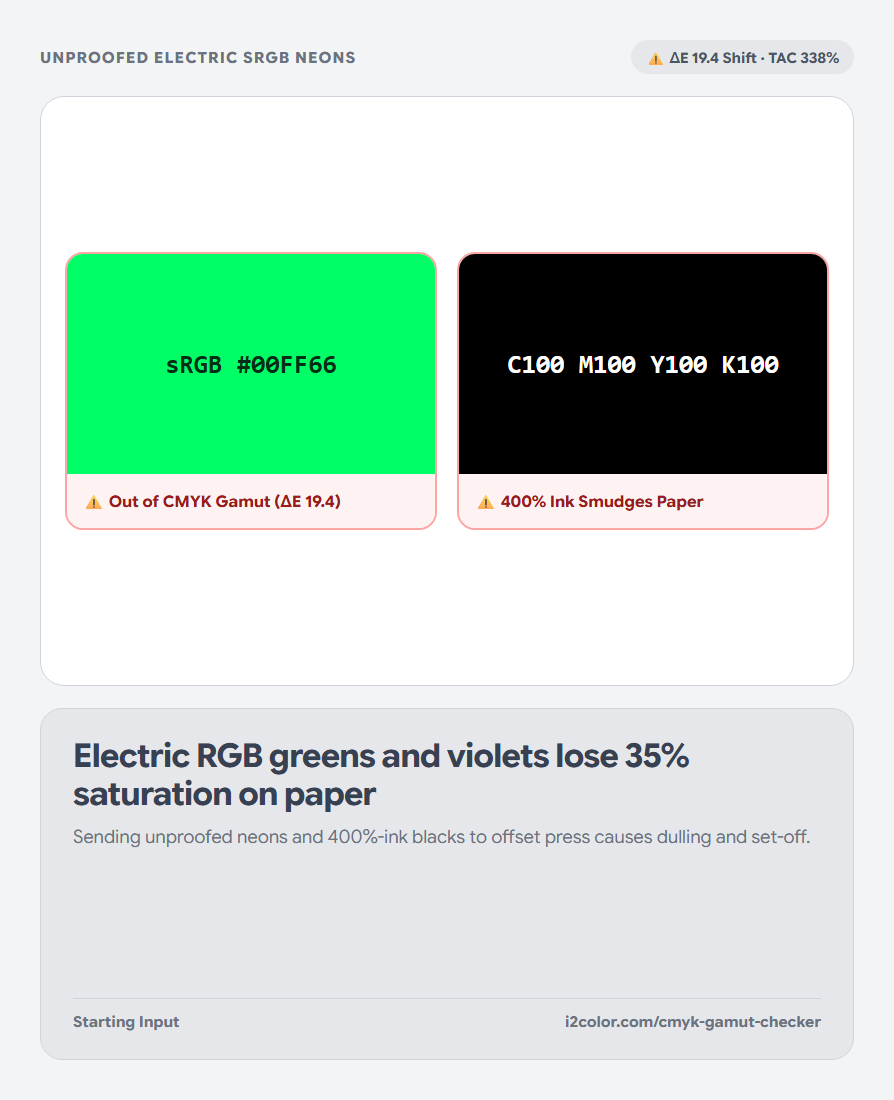


Open CMYK Gamut Checker in your browser to soft-proof sRGB screen palettes against Coated (FOGRA39), Uncoated (FOGRA47), and US Web (SWOP) CMYK gamuts with ΔE shift badges and TAC ink limits. Everything runs locally on your device with instant sync across the shared Active Palette bar.
Choose Coated (FOGRA39), Uncoated (FOGRA47), or SWOP
Load your brand palette and pick the target press condition: Coated Gloss/Silk (FOGRA39), Uncoated Offset (FOGRA47), or US Web Coated (SWOP).
Each swatch card splits between your emissive sRGB screen color and its simulated reflective CMYK press appearance.
Watch ΔE badges: Swatches under ΔE 2.5 reproduce faithfully; swatches above ΔE 6.0 will look noticeably softer in print.
Prevent rich-black muddying and over-inked shadows
Converting #000000 naively without ink limits can pile up 340%+ total ink—causing wet sheets to stick (set-off) on press. Check the TAC % readout on dark swatches to keep total coverage safely below 280–300%.
Click Snap to Gamut on any out-of-gamut swatch to compress chroma along constant OKLCH hue.
Perceptual Gamut Warnings
Flags electric greens, royal violets, and hot pinks before you lock final brand guidelines.
Total Area Coverage Guard
Monitors C + M + Y + K sum so deep navies and rich blacks dry cleanly on press.
Hue-True Gamut Mapping
Brings out-of-gamut colors inside CMYK boundaries without shifting red toward orange or blue toward purple.
Document CMYK percentages alongside digital HEX
Copy the verified cmyk() values for InDesign/Illustrator swatches, or export a 1-page Brand Color Guide PDF.
/* Press-Verified Brand Spec (Coated FOGRA39) */
Studio Ruby:   #C81E51 -> C:4%  M:92% Y:62% K:12% (TAC 170%, ΔE 2.1)
Rich Navy Ink: #171923 -> C:78% M:68% Y:48% K:66% (TAC 260%, Safe)Common questions
Should I replace my website HEX with the duller CMYK-safe HEX?
Usually keep your vibrant sRGB/P3 token for screens and document the dedicated CMYK/Spot breakdown separately for print—unless strict cross-medium uniformity is your top priority.
What is a standard "Rich Black" recipe for large printed areas?
A balanced cool rich black such as C:60% M:40% Y:40% K:100% (TAC 240%) prints much deeper than K:100% alone while staying safely below 280% TAC.
Why use K:100% (0,0,0,100) for small body text in print?
Single-plate 100% Black avoids 4-plate micro-registration fringes on 8–11pt serif or sans-serif type.
Try CMYK Gamut Checker
Spot neon sRGB colors that dull on paper and check Total Ink Coverage (TAC).