
Open Color Mixer in your browser to blend any two colors using real Kubelka-Munk subtractive paint physics, perceptual OKLCH, CIELAB, or sRGB, with precise ratio sliders and step scales. Everything runs locally on your device with instant sync across the shared Active Palette bar.
Choose two parent colors and set mix percentage
Pick or paste Color A and Color B (or click swatches from your Active Palette bar) and drag the mix ratio slider anywhere from 0% to 100%.
Watch the central mixed specimen update instantaneously alongside its exact #HEX, OKLCH, and closest pigment name.
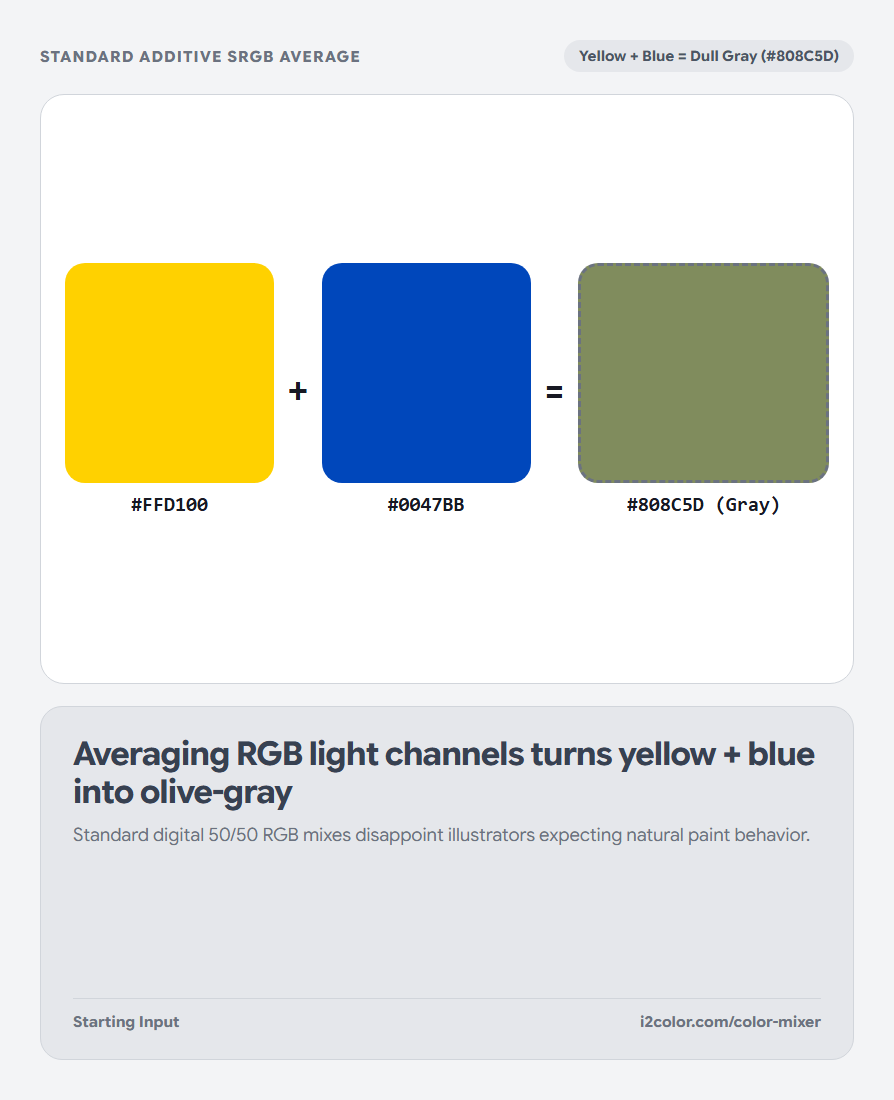
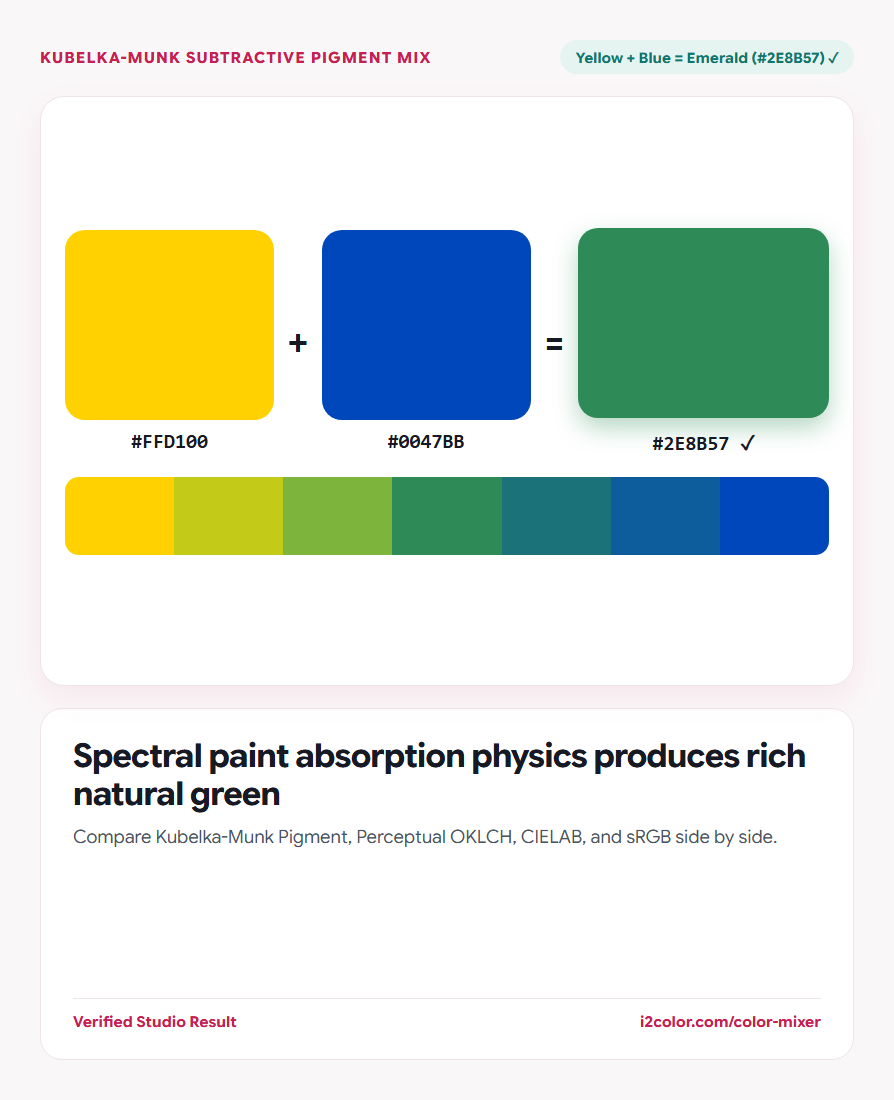
Classic test: Enter Cadmium Yellow (#FFD100) and Cobalt Blue (#0047BB) at 50% and toggle between Pigment and sRGB.
Pick the right color-mixing physics for your task
Different mediums obey different optical laws—choose the mixing engine that matches where your color will live.
Inspect the stepped blend ramp below to copy any intermediate 10% or 20% ratio stop.
Kubelka-Munk Pigment
Models physical paint, gouache, and ink glazing where overlapping wavelengths absorb light.
Perceptual OKLCH
Matches CSS color-mix(in oklch, ...) for crisp, vibrant digital UI midpoints.
Linear & sRGB
Matches legacy canvas alpha compositing and CSS color-mix(in srgb, ...).
Copy the mixed #HEX or native CSS color-mix() rule
Click the mixed swatch to copy its 6-digit #HEX, add it to your Active Palette, or use native CSS color-mix() in your stylesheets.
/* Mixed 50/50 Result & Native CSS Equivalent */
--pigment-mix-hex: #2E8B57; /* Kubelka-Munk Paint Physics */
--oklch-css-mix: color-mix(in oklch, #FFD100 50%, #0047BB 50%);Common questions
Does CSS support Kubelka-Munk pigment mixing natively?
No—CSS color-mix() supports srgb, hsl, lab, and oklch, so exporting the pre-computed Kubelka-Munk #HEX from i2Colors is the cleanest way to use painterly blends in CSS.
Why is CIELAB also included alongside OKLCH?
CIELAB mixes along straight Cartesian a*/b* lines (matching Photoshop Lab mode) without hue-arc rotation.
Can I push the entire stepped blend strip into my Active Palette?
Yes—save individual midpoints or click Use Strip in Palette to load the full progression.
Try Color Mixer
See why yellow + blue make green in real paint—and compare against OKLCH and RGB.