


Social & Portfolio
6 true aspect ratios
Switch instantly between 1:1, 4:5, 3:2, 2:3, 16:9, and 9:16 Story formats.
Create high-resolution photo and color palette collages across 8 layouts with HEX labels included free.
Pair any photograph or moodboard image with auto-extracted OKLab colors or your current Active Palette across 8 editorial wireframe layouts and 6 social/print aspect ratios.
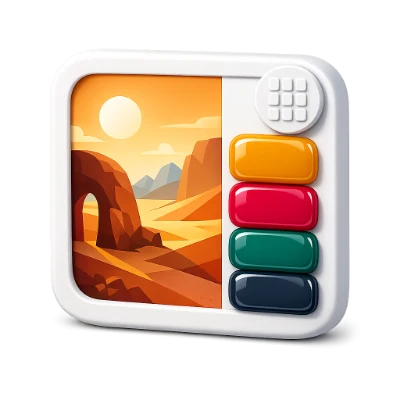
Switch instantly between 1:1, 4:5, 3:2, 2:3, 16:9, and 9:16 Story formats.
Toggle crisp tonal HEX labels and Polaroid color names at zero cost.
Extract fresh clusters from the image or use your current studio palette.
Includes Right Rail, Bottom Deck, Floating Stacks, Spaced Ceramic Chips, and Polaroid Gallery Mats.
Exports crisp 1200–1920px PNGs with optional HEX and color name typography.
Finds 3 to 8 dominant perceptual color clusters across Balanced, Vibrant, Muted, and Deep moods.
Every cluster places a live draggable pin on the canvas so you can refine exact sampling coordinates.
Writes crisp rounded Bezier swatch cards, selectable codes, WCAG pairs, and optional client logos.
Choose A4 or US Letter formatting for clean printouts and client slide decks.
Move freely between Generator, Visualizer, Contrast, Tailwind, and Vision without re-entering colors.
Your active palette syncs automatically in browser storage across every module, and visiting any tool directly starts from a fresh harmonious palette.
Supports 3 to 8 active palette roles with unlimited local saves and exports—no account required.
All color math, simulations, and exports run locally in your browser while syncing your active palette across tools.
A few answers before you get started.
On your deviceCollages render on high-resolution 1200px to 1920px canvases with cover-cropped photography so text and swatch edges stay razor-sharp.
Yes. Press Ctrl+V anywhere or upload PNG, JPG, GIF, TIF, TIFF, WebP, BMP, and SVG files.
Choose Square (1:1), Portrait (4:5), Story/Reel (9:16), Pinterest Pin (2:3), Landscape (16:9), or Classic Editorial (3:2).
Yes. Show clean monospace #HEX codes for technical brand boards or hide labels for minimalist photography presentations.