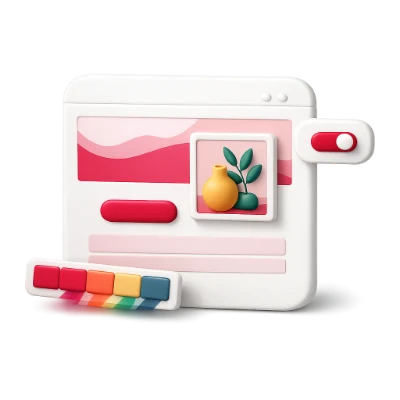
Preview your palette on real layouts, components, and artwork
Swatches look very different once applied at real 60-30-10 scale. Test your active palette across an editorial landing page, realistic form controls, tonal still-life illustration, and sample charts.
Live editorial webpage, form components, and tonal illustration recolored from your active palette.
See how serif headlines, body copy, calls to action, and tonal photography interact on your canvas and surface colors.
UI Engineering
Form & button state clarity
Inspect inputs, checkboxes, focus rings, hover states, and confirmation callouts before writing CSS.
Illustration & Data
Downloadable SVG & charts
Export the recolored editorial SVG study directly or verify how your palette separates across bar charts.
Key capabilities
Website, UI form & chart previews
See your palette applied immediately to realistic typography, buttons, inputs, illustrations, and data bars.
Interactive inspection
Hover any swatch in the active palette bar to highlight the exact elements using that role.
60-30-10 semantic role balance
Assigns Background (60%), Surface & Text (30%), and Primary & Accent (10%) weights across 3 to 8 colors.
Why proportions matter
Judging colors at their real visual proportion prevents vivid accent colors from overpowering calm backgrounds.
Tonal illustration recoloring
Maps shadows, midtones, surfaces, and highlights onto editorial artwork with downloadable SVG output.
How tonal mapping works
Preserves natural lighting and texture while adapting dark and light palette endpoints cleanly.
Synced active palette across tools
Move freely between Generator, Visualizer, Contrast, Tailwind, and Vision without re-entering colors.
How state travels
Your active palette syncs automatically in browser storage across every module, and visiting any tool directly starts from a fresh harmonious palette.
Formats & privacy
Supported inputs
Shared Active Palette, HEX, CSS, URL
Outputs & exports
Recolored SVG, CSS, Tailwind, PNG, ASE
Supports 3 to 8 active palette roles with unlimited local saves and exports—no account required.
All color math, simulations, and exports run locally in your browser while syncing your active palette across tools.
FAQ
Good to know.
A few answers before you get started.
On your device
How are colors mapped onto the website and components?
Roles follow a 60-30-10 hierarchy: Background covers the main canvas (60%), Surface and Text structure cards and copy (30%), and Primary and Accent highlight key actions and badges (10%).
Can I test different role placements without losing my colors?
Yes. Click Rotate roles to cycle which swatch acts as Background, Surface, Text, Primary, and Accent, or click Flip to invert light and dark polarity.
How can I test different background and accent assignments quickly?
Click Shuffle or Flip in the Active Palette bar at the top of the workspace to rotate color roles across all 10 boards in real time.
Can I inspect any board full-screen and download it?
Yes. Click any board in the gallery to open the high-resolution lightbox and export a crisp PNG mockup for client presentations.