


Authentic Screens
15° & 75° halftone angles
Prevents ugly moiré clashing while creating classic rosette dot textures.
Separate photos into tactile halftone spot-ink plates powered directly by your Active Palette.
Simulate the unmistakable warmth of soy-based Risograph stencil printing directly in your browser. Separate any photograph into deep shadow and vibrant spot-accent drums rotated at 15° and 75° halftone screen angles with authentic plate offset and organic ink grain.
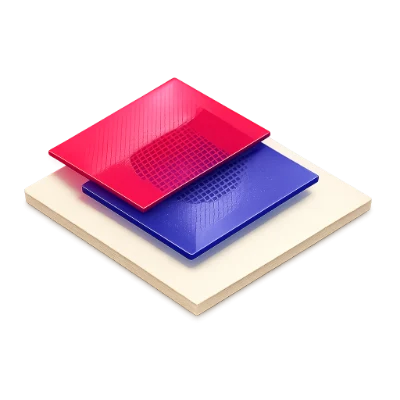
Prevents ugly moiré clashing while creating classic rosette dot textures.
Models translucent spot inks multiplying naturally over warm paper stock.
Dial in subtle 1–4px plate misregistration and organic stencil grain.
Maps 256 grayscale levels smoothly across Shadow, Midtone, and Highlight palette colors.
Outputs both high-res raster images and reusable SVG feComponentTransfer filters.
Models real CMYK chroma envelopes, paper black-point lift, and GCR Total Ink Coverage.
Identifies out-of-gamut screen neons with ΔE scores and snaps palettes to printable bounds.
Transfers target hue and chroma while retaining natural highlights, shadows, and feathered edges.
Click any pixel region on your photo to re-sample the source color interactively.
Move freely between Generator, Visualizer, Contrast, Tailwind, and Vision without re-entering colors.
Your active palette syncs automatically in browser storage across every module, and visiting any tool directly starts from a fresh harmonious palette.
Supports 3 to 8 active palette roles with unlimited local saves and exports—no account required.
All color math, simulations, and exports run locally in your browser while syncing your active palette across tools.
A few answers before you get started.
On your deviceDrum 1 uses your deepest dark swatch for shadow structure, Drum 2 uses your highest-chroma accent swatch for midtone warmth, and the lightest swatch tints the paper stock.
Real Risograph machines print each ink color on a separate drum pass, creating a charming 1–4px registration shift along edges.
Separating screen angles by 60° prevents distracting geometric moiré stripes and produces authentic printmaker dot rosettes.
Yes. Split mode is active by default—drag the divider handle across your image or switch to Print for a full-canvas view.